
"Don't miss out!" Wixzet's popular Triple Screen Extender is 26% off for a limited time!
Product Overview
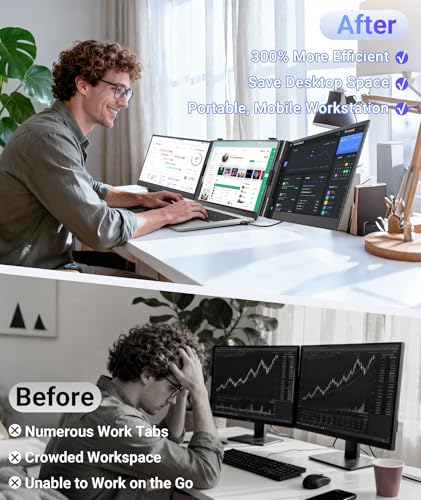
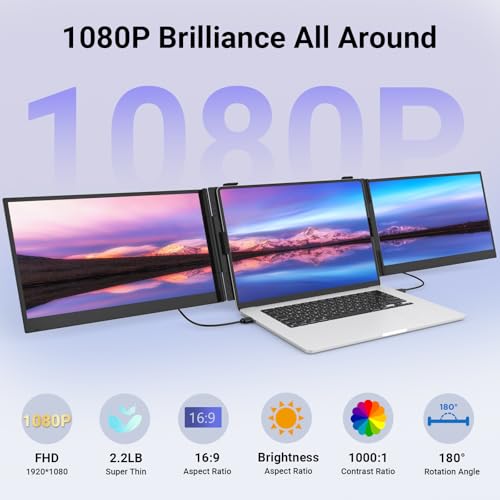
Enhance your productivity on the go with the Wixzet 14" Triple Laptop Screen Extender. This ultra-slim, lightweight, and portable monitor setup adds two additional FHD 1080P IPS displays to your laptop, designed for professionals and students who need a multi-window workspace anywhere. Featuring accurate colors, stable support, and wide device compatibility, it transforms your mobile workstation.
Product Images





Key Recommendations
- Ultra-slim and lightweight aerospace-grade aluminum alloy design for extreme portability.
- Boosts productivity by up to 300% with seamless multi-window efficiency.
- High-quality 1080P IPS display with accurate colors (100% sRGB, 300 nits brightness) and wide viewing angles.
- Stable, adjustable, and 180° rotatable stand for flexible positioning and easy sharing.
- True plug-and-play convenience with included cables.
- Wide compatibility with various operating systems, laptops, and devices including gaming consoles.
Points to Consider
- For optimal brightness and stable performance when using all screens simultaneously, connect an external power adapter (5V/2A or higher) to the PD port.
- If your laptop does not have a full-function USB-C port, you can connect via HDMI + H5 cable (driver installation may be required).
Recommended For
- Remote professionals needing an expanded workspace on the go.
- Stock traders requiring multiple data streams simultaneously.
- Designers and creators who benefit from more screen real estate for their software.
- Programmers and developers for efficient code management and debugging.
- Multitasking students for research, writing, and online learning.
- Anyone who frequently travels and needs to set up a productive workstation anywhere.
- Users with 13"-17.3" laptops.
Not Recommended For
- Users who require a single, large, high-refresh-rate gaming monitor.
- Users with laptops significantly smaller or larger than the 13"-17.3" range.
- Individuals who prefer a minimalist, single-screen setup.
- Users who are unable or unwilling to connect an external power source for peak performance.
よくある質問(Q&A)
Q.What laptops is this screen extender compatible with?
Q.How do I connect the monitor?
Q.Does it require external power?
Q.What is the display quality like?
Q.Can the screens be rotated?
Related Articles
![[2025 Edition] 100 Best Monitors! How to Choose and Recommended Models](https://m.media-amazon.com/images/I/51CMlNy3FCL._SL500_.jpg)
Staring at a screen all day? We've rigorously tested the top monitors to bring you crystal-clear clarity and unparalleled comfort, ensuring your viewing experience is second to none.
2025/09/02
![[2025 Edition] 99 Best Video Monitors! Selection Guide and Latest Models Introduction](https://m.media-amazon.com/images/I/41iZ8LaJt2L._SL500_.jpg)
Looking for the best video monitor to elevate your viewing experience? We've rigorously tested top contenders to help you discover the perfect display for gaming, content creation, and everyday use!
2025/08/09
