
TP-Link
"Can't miss this!" TP-Link Deco X15 WiFi 6 Mesh System is 21% off on Amazon!
Amazon商品名: TP-Link Deco X15 Dual-Band AX1500 WiFi 6 Mesh Wi-Fi System | Replaces Routers and Extenders | Covers up to 3,900 sq.ft. | 2 Gigabit Ports per Unit, Supports Ethernet Backhaul, 2-Pack
$86.992025-10-01 Amazon price
Buy on AmazonUpgrade your home network with the TP-Link Deco X15 WiFi 6 Mesh System, now 21% off on Amazon! Enjoy seamless, high-speed internet coverage throughout your entire house. Say goodbye to dead zones.
Product Overview
The TP-Link Deco X15 is a dual-band AX1500 whole home mesh Wi-Fi system designed to eliminate weak Wi-Fi signals and dead zones, providing seamless coverage up to 3,900 sq. ft. It leverages Wi-Fi 6 technology for faster connections and supports up to 120 devices. Each unit includes 2 Gigabit Ethernet ports and supports Ethernet backhaul for enhanced performance. Features AI-powered roaming for optimized user experience, TP-Link HomeShield for advanced security, and easy setup via the Deco app. It is compatible with existing Wi-Fi generations and internet service providers, and works with Alexa & Google Assistant.
Share
Product Images




Key Recommendations
- High-performance Wi-Fi 6 AX1500 for faster connections and lower latency.
- Provides seamless whole-home coverage up to 3,900 sq. ft., eliminating dead zones and buffering.
- Supports a large number of devices (up to 120) with AI-powered roaming for optimized connections.
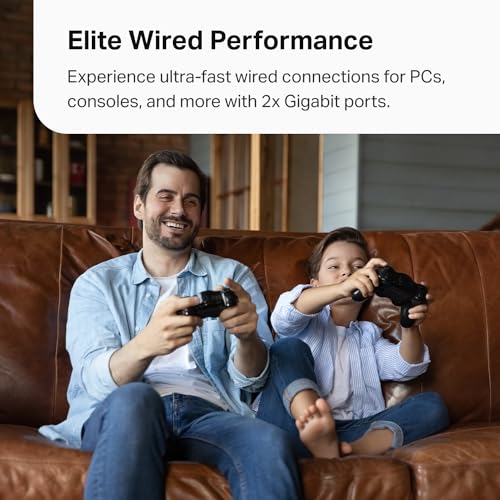
- Equipped with 2 Gigabit Ethernet ports per unit for versatile wired connections and supports Ethernet backhaul.
- Enhanced network security with TP-Link HomeShield and TP-Link's Secure-by-Design commitment.
- Effortless setup and management through the intuitive Deco mobile app.
- Wide compatibility with all WiFi generations and any Internet Service Provider (modem required).
- Voice control integration with Alexa and Google Assistant for convenient management.
Points to Consider
- A modem is required to connect to the internet; this unit is not a modem.
- For optimal performance, position Deco units strategically, away from major obstructions like thick walls or large appliances.
- Maximum device capacity is an estimate; actual performance can vary based on network usage and device capabilities.
- Utilizing Ethernet backhaul requires a pre-existing wired network infrastructure.
Recommended For
- Homeowners seeking robust and consistent Wi-Fi coverage throughout their entire house.
- Users experiencing Wi-Fi dead zones or weak signal strength in specific areas.
- Households with numerous connected devices, including smart home gadgets, streaming devices, and gaming consoles.
- Individuals looking to upgrade to the latest Wi-Fi 6 technology for improved speed and efficiency.
- Users who prefer a centralized, app-based management system for their home network.
Not Recommended For
- Users in very small living spaces (e.g., studio apartments) where a single router would suffice.
- Individuals who do not wish to manage network settings or prefer a simpler, standalone router.
- Users who require highly specialized or advanced QoS configurations beyond the scope of HomeShield.
- Those who do not have a separate modem to pair with the mesh system.
よくある質問(Q&A)
Q.What is Wi-Fi 6 Mesh?
A.Deco Mesh seamlessly unifies your network under a single name. Wi-Fi 6 (802.11ax) technology, like that in the Deco X15, offers faster speeds, lower latency, and better performance, especially in environments with many connected devices.
Q.What is Wi-Fi 6 Mesh?
A.Deco Mesh seamlessly unifies your network under a single name. Wi-Fi 6 (802.11ax) technology, like that in the Deco X15, offers faster speeds, lower latency, and better performance, especially in environments with many connected devices.
Q.Do I need a separate modem for the Deco X15?
A.Yes, the Deco X15 system is a mesh Wi-Fi system and requires a separate modem to connect to your Internet Service Provider. It does not function as a modem.
Q.Do I need a separate modem for the Deco X15?
A.Yes, the Deco X15 system is a mesh Wi-Fi system and requires a separate modem to connect to your Internet Service Provider. It does not function as a modem.
Q.How easy is it to set up the Deco X15?
A.Setup is designed to be straightforward using the free TP-Link Deco app, which provides step-by-step guidance to get your network up and running in minutes.
Q.How easy is it to set up the Deco X15?
A.Setup is designed to be straightforward using the free TP-Link Deco app, which provides step-by-step guidance to get your network up and running in minutes.
Q.Can I expand my network by adding more Deco units?
A.Yes, TP-Link Deco products are extensively compatible and can work together. You can add more Deco units from different series to form a larger, unified Mesh Wi-Fi network if needed.
Q.Can I expand my network by adding more Deco units?
A.Yes, TP-Link Deco products are extensively compatible and can work together. You can add more Deco units from different series to form a larger, unified Mesh Wi-Fi network if needed.
Q.What are the benefits of the Gigabit Ethernet ports?
A.Each Deco X15 unit features 2 Gigabit Ethernet ports, allowing you to connect wired devices like computers, game consoles, or smart TVs for more stable and high-speed internet access. These ports also support Ethernet backhaul, which can improve mesh performance.
Q.What are the benefits of the Gigabit Ethernet ports?
A.Each Deco X15 unit features 2 Gigabit Ethernet ports, allowing you to connect wired devices like computers, game consoles, or smart TVs for more stable and high-speed internet access. These ports also support Ethernet backhaul, which can improve mesh performance.
Q.What is TP-Link HomeShield?
A.TP-Link HomeShield is a suite of security and network management features that includes Basic Network Security (Security Scan, IoT Identification), Basic Parental Controls, Quality of Service (QoS), and Basic Weekly/Monthly Reports to protect and manage your home network.
Q.What is TP-Link HomeShield?
A.TP-Link HomeShield is a suite of security and network management features that includes Basic Network Security (Security Scan, IoT Identification), Basic Parental Controls, Quality of Service (QoS), and Basic Weekly/Monthly Reports to protect and manage your home network.
