
"Incredible savings!" APILDELLA's 14'' Portable Dual Monitor Extender is 40% off on Amazon!
Product Overview
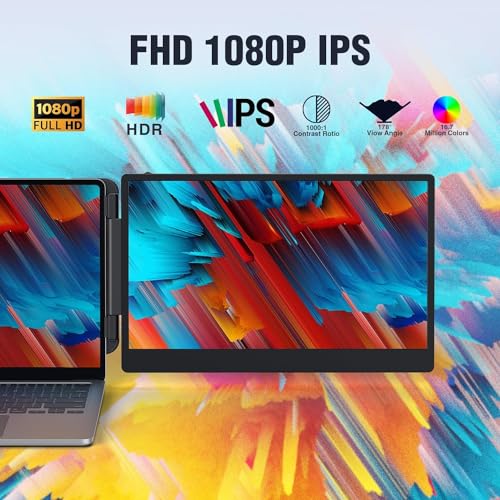
The APILDELLA 14'' portable external monitor extends your laptop's screen real estate with a 1080P Full HD IPS display. Designed for dual-screen setups, it enhances productivity by allowing users to handle multiple tasks simultaneously across two screens. It is widely compatible with laptops from 13'' to 17.3'' and supports Windows, Chrome, and Mac operating systems, offering plug-and-play functionality for easy setup. Key features include HDR mode, eye protection (anti-vertigo and low blue light), and adjustable display parameters. Its foldable 0-180° design enhances portability and privacy, and it comes with a dedicated handbag.
Product Images


Key Recommendations
- Instantly expand your workspace with a portable 14-inch dual-screen setup.
- Boost productivity by up to 200% with seamless multi-screen synchronization and display.
- Enjoy crisp visuals with 1080P FHD IPS resolution and vibrant HDR mode.
- Work comfortably with built-in eye protection features like anti-vertigo and low blue light.
- Plug-and-play simplicity for quick setup without driver installation.
- Flexible 0-180° folding design for adjustable angles and screen privacy.
- Widely compatible with most modern laptops (13''-17.3'') running Windows, Chrome, or Mac.
- Portable design with an included handbag for easy travel.
Points to Consider
- If the screen shows 'no signal', connect the HDMI to C cable to the bottom C port of the monitor.
- For optimal brightness, connect an external plug to the first Type C port to ensure sufficient power.
- Verify your laptop has a USB-C or HDMI port for compatibility.
- Ensure proper handling to maintain screen privacy and stability.
Recommended For
- Professionals and office workers looking to boost multitasking efficiency.
- Programmers and developers needing extended coding environments.
- Stock traders and financial analysts requiring multiple data displays.
- Gamers seeking an immersive dual-screen experience.
- Students and remote workers requiring a more versatile workstation on the go.
- Anyone with a compatible laptop who needs more screen space for productivity.
Not Recommended For
- Users seeking a primary, high-resolution, or color-accurate display for professional graphic design or video editing.
- Individuals with laptops smaller than 13 inches or larger than 17.3 inches, where physical attachment might be difficult.
- Users who do not have a USB-C or HDMI port on their laptop.
- Those who need a standalone monitor without a laptop connection.
よくある質問(Q&A)
Q.How do I connect the monitor to my laptop?
Q.What resolution does the monitor support?
Q.Is this monitor compatible with MacBooks?
Q.What is the warranty period for this product?
Q.What should I do if I see 'no signal' on the screen?
Q.How do I ensure the screen is bright enough?
Related Articles
![[2025 Edition] 100 Best Monitors! How to Choose and Recommended Models](https://m.media-amazon.com/images/I/51CMlNy3FCL._SL500_.jpg)
Staring at a screen all day? We've rigorously tested the top monitors to bring you crystal-clear clarity and unparalleled comfort, ensuring your viewing experience is second to none.
2025/09/02
![[2025 Edition] 99 Best Video Monitors! Selection Guide and Latest Models Introduction](https://m.media-amazon.com/images/I/41iZ8LaJt2L._SL500_.jpg)
Looking for the best video monitor to elevate your viewing experience? We've rigorously tested top contenders to help you discover the perfect display for gaming, content creation, and everyday use!
2025/08/09
