
TAPINSAW
"Don't miss this steal!" Frameo Digital Photo Frame now 37% off!
Amazon商品名: Frameo Digital Photo Frame,10.1 Inch WiFi Smart Digital Picture Frame with HD IPS Touch Screen,Auto-Rotate,Send Pictures from Anywhere via Frameo APP,Gifts for Mom
$39.992025-12-07 Amazon price
Buy on AmazonGet the Frameo Digital Photo Frame at an unbelievable price! This smart frame is now 37% off, making it the perfect time to buy. Share memories effortlessly for less!
Product Overview
This 10.1-inch Frameo Digital Photo Frame features a vibrant 1280*800 HD IPS touch screen and a stylish wooden design with auto-rotation. It boasts 16GB of internal storage, expandable via Micro SD card, and connects via 2.4G WiFi for easy photo sharing from anywhere using the Frameo App. Its user-friendly interface makes it ideal for all ages, including seniors, and it's presented as a perfect gift for various occasions. Enjoy sharing cherished memories instantly with loved ones.
Share
Product Images



Key Recommendations
- Secure and easy-to-use interface, suitable for seniors and non-tech-savvy users.
- High-quality 1280*800 HD IPS touch screen delivers exceptional visual clarity.
- Intuitive touch screen controls allow easy management of slideshows, captions, and sleep modes.
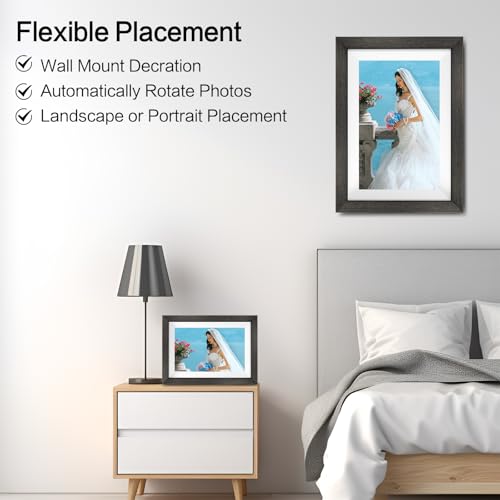
- Elegant wooden frame complements any home décor, with automatic photo rotation.
- Generous 16GB internal storage for approximately 40,000+ photos, expandable with Micro SD.
- Share moments instantly from anywhere via the Frameo App over 2.4G WiFi.
- Ideal as a thoughtful gift for holidays, birthdays, and anniversaries.
- Comes with user guides, a one-year warranty, and lifetime technical support.
Points to Consider
- Only supports 2.4GHz WiFi networks; 5GHz is not compatible.
- Videos sent to the frame are limited to a maximum duration of 15 seconds.
- Ensure all external devices are removed before resetting the smart picture frame.
Recommended For
- Families wishing to stay connected by sharing photos and memories in real-time.
- Grandparents, parents, and older relatives who appreciate easy access to family photos.
- Individuals looking for a simple yet elegant way to display their digital photos.
- Gift-givers seeking a heartfelt and practical present for loved ones on special occasions.
- Users who value ease of use and a secure photo-sharing platform.
Not Recommended For
- Users who require 5GHz WiFi band connectivity for their smart devices.
- Individuals who need to share or display videos longer than 15 seconds.
- Professional photographers or users who need advanced image editing or management features directly on the frame.
よくある質問(Q&A)
Q.How does the Frameo app work with the digital photo frame?
A.You download the Frameo app on your smartphone, create an account, and then connect your phone to the digital frame via Wi-Fi. This allows you to select photos from your phone and send them directly to the frame for display.
Q.How does the Frameo app work with the digital photo frame?
A.You download the Frameo app on your smartphone, create an account, and then connect your phone to the digital frame via Wi-Fi. This allows you to select photos from your phone and send them directly to the frame for display.
Q.Can I connect multiple phones to one frame?
A.Yes, multiple friends and family members can download the Frameo app and be invited to send photos to the same frame, making it a collective family album.
Q.Can I connect multiple phones to one frame?
A.Yes, multiple friends and family members can download the Frameo app and be invited to send photos to the same frame, making it a collective family album.
Q.What happens if I lose power to the frame?
A.When power is restored, the frame will automatically resume its slideshow from where it left off or as per your settings.
Q.What happens if I lose power to the frame?
A.When power is restored, the frame will automatically resume its slideshow from where it left off or as per your settings.
Q.Is the frame screen always on?
A.No, you can set up a sleep mode schedule to turn the screen off during specific hours, such as at night, to save energy and avoid disturbance.
Q.Is the frame screen always on?
A.No, you can set up a sleep mode schedule to turn the screen off during specific hours, such as at night, to save energy and avoid disturbance.
